
A Guide to Finding Hidden Cameras
- Showix technical Team
- Jul 19, 2025
- 16 min read

Updated: Jul 26, 2025
Before you even think about grabbing any fancy gadgets, your most powerful tool is a good old-fashioned physical search. It’s surprising how often a careful, hands-on look around is all it takes to spot a device that someone didn't hide quite well enough.
Conducting a Thorough Physical Search
The real secret to finding a hidden camera is to stop thinking like a searcher and start thinking like the person who planted it. Ask yourself: if I wanted to film this room, where would I put the camera? What spot gives the best view but is least likely to be noticed? Getting into this mindset is half the battle and turns a random hunt into a focused investigation.
Stand in the middle of the room and take a good look around. What are the key areas of activity? Beds, desks, sofas, and doorways are the obvious targets. Any camera will almost certainly be pointed at one of these zones, so that’s where you should start your search.
Scrutinise Common Hiding Spots
Today's spy cameras are tiny and can be disguised as almost anything. You need to pay extra close attention to everyday items, especially things that need to be plugged in or are naturally positioned with a clear line of sight.
Some classic hiding spots I've seen over the years include:
Electronics: Digital clocks, photo frames, those little USB wall chargers, and power strips are prime real estate for a hidden lens.
Fixtures: Look up. Smoke detectors and light fittings give a perfect bird's-eye view, making them a common choice.
Decorative Items: Books on a shelf, a plant pot, a tissue box, or even a stuffed animal can easily hide a camera.
Pick up these items. Feel them. Does anything seem off? Look for a tiny, pinprick hole where one shouldn't be. Does that USB charger feel a bit heavy or get unusually warm? If you don't recognise an electronic device or it feels suspicious, unplug it.
Use Light and Darkness to Your Advantage
One of the simplest tricks in the book involves playing with the light in the room. First, kill all the lights and draw the curtains. Get the room as dark as you can. Many cameras use infrared (IR) LEDs for night vision. While the light they emit is invisible to our eyes, you can sometimes spot them with this trick.
A camera lens is made of glass. No matter how small, it will reflect light differently from the material around it. This basic fact is a huge weakness you can exploit with just a simple torch.
Now, grab a bright torch and hold it up near your temple, right next to your eye. Slowly scan every single surface in the dark room. You’re looking for a tiny, sharp glint of light bouncing back at you. That’s the tell-tale reflection from a camera lens. Be methodical. Sweep the beam slowly across every suspicious object from multiple angles. For more detailed advice, our guide on how to find hidden cameras offers some extra expert tips.
Listen for Telltale Sounds
Once you've finished your visual sweep, just stop for a moment. Be still and listen. It's less common now, but some cameras, especially cheaper or older ones, can give off a faint, high-pitched buzzing or a very quiet clicking noise while they're running.
This is best done at night when the house is quiet. Turn off the telly, the fridge, any fans—anything that makes background noise. Walk slowly around the room, pausing near those high-risk areas and just listening. It's a long shot as most modern devices are silent, but it costs nothing to try and could lead you right to a hidden mic or camera. Thinking about all potential vulnerabilities is key; using a professional physical security audit checklist can help you think more systematically and ensure you don’t overlook any clever hiding spots.
Using Your Smartphone to Find Hidden Cameras

Believe it or not, the device you carry everywhere is a surprisingly capable tool for uncovering hidden cameras. Before you even think about buying specialised gear, your smartphone gives you a solid first line of defence. It’s a convenient and cost-free way to start your search.
There are a couple of clever ways to do this. One method involves using your phone's own camera to hunt for the infrared light that night-vision cameras emit. The other technique is to use your phone to scan for unusual network signals that might give a camera away.
Seeing in the Dark: Detecting Infrared Light
Many spy cameras are built to work in the dark, and to do that, they use infrared (IR) LEDs. This light is completely invisible to our eyes, but some smartphone cameras can pick it up.
Here's the trick: most modern phones have an IR filter on their main rear camera to keep pictures looking natural. The front-facing "selfie" camera, however, often doesn't have this filter. This makes it perfect for our purposes.
How to check your phone:
Find any standard TV remote.
Open your camera app and point the little bulb at the end of the remote towards the lens.
Press a button on the remote.
If you see a faint, pulsing purple or white light on your screen, you've found the right camera. If not, just flip to the other camera and try again. The one that shows the light is now your IR detector.
With your new detector ready, it's time to start the search. Make the room as dark as you can. Switch on your phone’s camera and slowly scan the space, lingering on common hiding spots like smoke detectors, clocks, and USB wall chargers.
A bright, pulsing light on your screen that you can’t see with your own eyes is a massive red flag. It’s the tell-tale signature of an active IR emitter, which almost certainly means a hidden camera is recording.
Scanning for Rogue Wi-Fi and Bluetooth Signals
A wireless camera is useless unless it can send its video stream somewhere, which means it has to connect to a network. This connection is another weakness you can exploit with your phone.
First, check your phone’s Wi-Fi settings and look through the list of available networks. Sometimes, installers forget to hide the camera’s own setup network. Be on the lookout for any network names (SSIDs) that look odd, especially those with long, jumbled strings of letters and numbers, which are often the default names for spy devices.
Next, do the same for Bluetooth. Head to your Bluetooth settings and let your phone scan for nearby devices. You’ll probably see your own headphones or smartwatch, but carefully review the list for anything unfamiliar. A device with a generic name like "HC-05" or just a random code could very well be a hidden camera.
Using Apps to Do the Heavy Lifting
If you want a more streamlined approach, you can download an app designed specifically for this job. These apps automate the process of scanning Wi-Fi and Bluetooth networks. Some even use your phone's built-in magnetometer to detect the small magnetic fields that all electronic devices, including cameras, produce.
As privacy concerns have grown, so has the popularity of these detector apps. It's crucial, however, to only download them from official sources like the Apple App Store or Google Play Store to keep your phone safe from malware. For a deeper dive into different detection techniques, you can explore resources on finding hidden cameras in the UK from Norton.
While these apps aren't a replacement for a professional RF detector, they are a huge help. They make the process much faster and can flag suspicious devices that a manual check might miss.
Bringing in the Professionals: Using an RF Detector
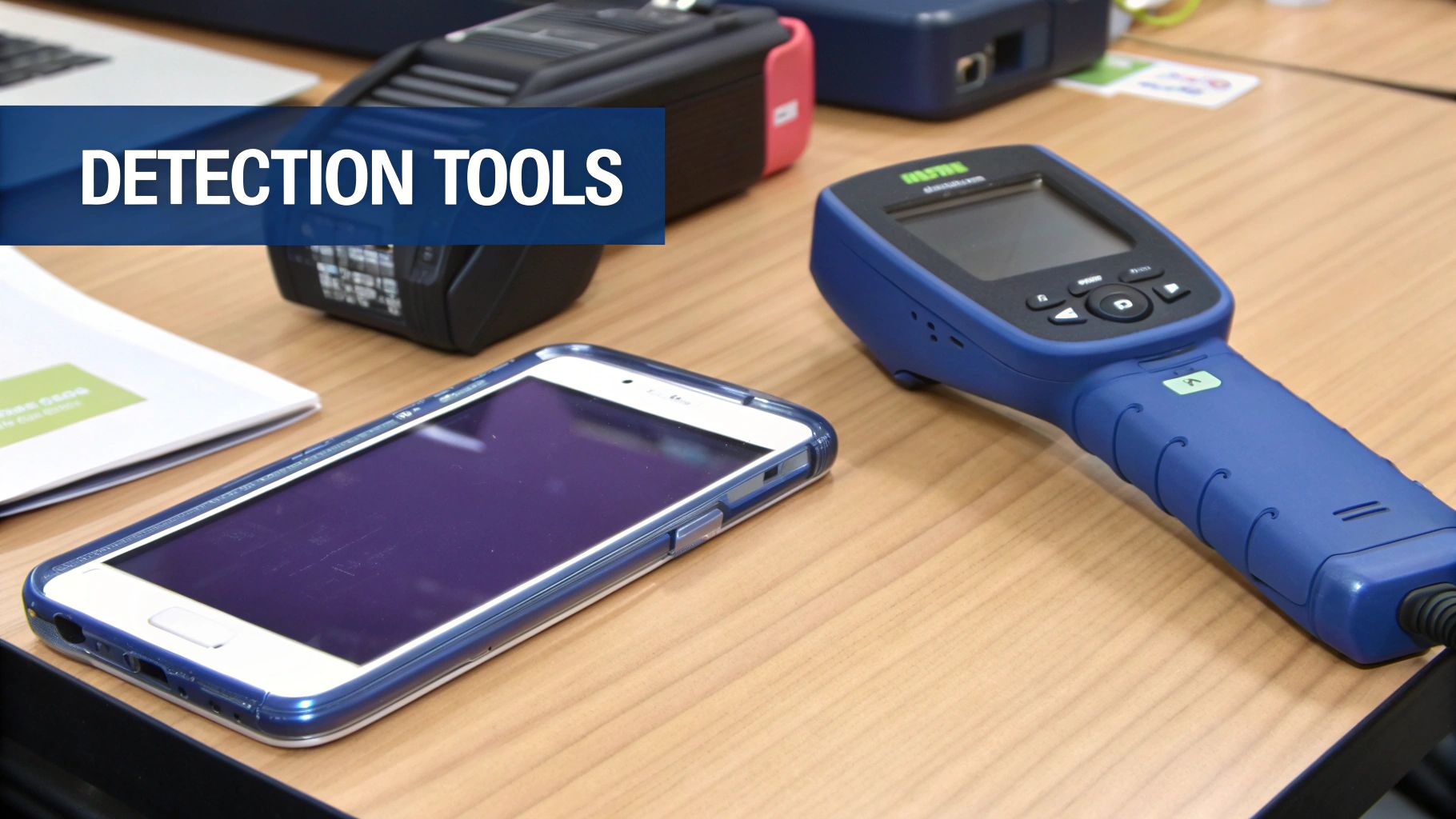
If a hands-on search and a smartphone scan haven't settled your nerves, it's time to step up your game with more specialised gear. A dedicated Radio Frequency (RF) detector is what the pros use, and for good reason. It's the most reliable way to find hidden wireless cameras.
Unlike a phone app, which is really just piggybacking on hardware designed for other things, these devices are built for one job and one job only: sniffing out radio signals.
Any wireless camera has to send its video feed somewhere, and it does this by broadcasting a signal. An RF detector is essentially a super-sensitive receiver that starts shouting the moment it picks one up. Think of it like a game of "hot and cold." The beeps get faster or the lights get brighter the closer you get to the source.
First, Clear the Decks for Your RF Scan
Before you even think about switching the detector on, you need to create what we call an electronically ‘clean’ environment. Your home, office, or car is probably humming with perfectly innocent RF signals from Wi-Fi routers, smart speakers, and even your microwave. Without dealing with these first, your scan will be a noisy, confusing mess of false alarms.
The best way to handle this is to methodically turn off and, ideally, unplug every single wireless device you know about.
Wi-Fi router
Bluetooth speakers and headphones
Smart home hubs (like an Amazon Echo or Google Home)
Cordless landline phones
Any other gadgets that connect wirelessly
By silencing all these legitimate sources, you give yourself a fighting chance. It means that any signal your detector finds is immediately suspicious and worth investigating properly.
How to Conduct a Methodical Sweep
With the area prepped, you can start the scan. Power on your RF detector and get a feel for its sensitivity settings. Most will have a dial or a button to adjust this. It's best to start with the sensitivity set quite low to avoid picking up faint signals from next door.
Now, begin your sweep. Do it slowly and methodically. I always tell people to imagine they're painting a room – you have to cover every single inch without leaving any gaps. Move the detector along the walls, across furniture, and right over any objects that seem out of place.
Expert Tip: Slow down. The single biggest mistake people make is rushing. RF detectors need a second to register a signal properly. If you move too fast, you could walk right past a hidden device and not even know it.
As you move, keep your eyes and ears glued to the detector's display. It'll usually have a set of lights or a beeping noise that gets more intense as a signal gets stronger. When you get a hit, slow down even more. Move the detector back and forth, up and down, to zero in on the exact spot where the signal is at its peak. That's how you pinpoint the camera.
Dealing With False Alarms
Even with the best preparation, you'll likely hit signals you can't immediately explain. A neighbour's powerful Wi-Fi can sometimes bleed through a wall and set your detector off. This is where you have to become a bit of a detective.
If you find a persistent signal, ask yourself a few questions:
Is it coming from something that obviously contains electronics?
Is it near a power source?
Is the location logical for surveillance? (For instance, is it pointed at a bed, a desk, or a changing area?)
Often, the culprit is something you just forgot about, like a wireless printer or a smart TV left on standby. Rule out every legitimate device before you jump to conclusions.
If you’re dealing with a really tricky situation or just need absolute certainty, this is often the point where it’s best to call in the experts. Our guide to professional bug sweep services breaks down what’s involved in a full technical inspection. Professionals use advanced kit like spectrum analysers that don't just detect a signal but can actually identify its signature, telling a harmless Bluetooth speaker apart from a covert camera with pinpoint accuracy.
Using an RF detector properly takes patience. It's not a magic wand; it's a careful process of elimination. But done right, it can give you the answers you need and bring back your peace of mind.
Think Like a Spy to Find Cameras
If you want to get good at finding hidden cameras, you have to get inside the head of the person who put it there. It's not about randomly tearing a room apart. It’s about thinking like a spy. Ask yourself: why would someone be watching this space? The reason—whether it's a business owner watching the tills or a landlord illegally spying on tenants—will always point you to the location.
Once you start thinking about motives, your search instantly becomes smarter and more focused. You stop seeing a room as just a room and start seeing it as a collection of vantage points and hiding spots. That change in perspective is everything when you're looking for something designed to be missed.
The technology has become so small and cheap that cameras can be tucked into almost anything you can imagine. That’s why having a methodical approach, one that’s based on the spy’s likely goals, is more critical than ever.
Uncovering High-Risk Areas
Every space, whether it’s a hotel room, your office, or even your own home, has high-risk zones. These are the sweet spots that offer a clear line of sight, a source of power, and a place where the device won't be easily disturbed. You should always start your search here.
So, what would someone want to see? In a bedroom or a hotel room, the camera will almost certainly be pointed at the bed or changing areas. In an office, it might be aimed at a specific computer screen, the petty cash box, or a sensitive filing cabinet.
Always check these common hiding spots first:
Things facing the bed: Alarm clocks, phone chargers, and digital photo frames are classic culprits, especially if they’re plugged into a socket with a direct view.
Electronics with constant power: Think about TVs, smoke detectors, and power strips. They provide the continuous power a hidden camera needs to operate 24/7.
Items at eye level: Picture frames, books on a shelf, and wall clocks give a perfect, natural-looking line of sight.
Everyday clutter: Don't dismiss things like houseplants, tissue boxes, or weird decorative objects. The more mundane, the better the disguise.
This image gives a handy breakdown of what to expect when you're trying to use a smartphone to detect a camera. It’s a good reality check.
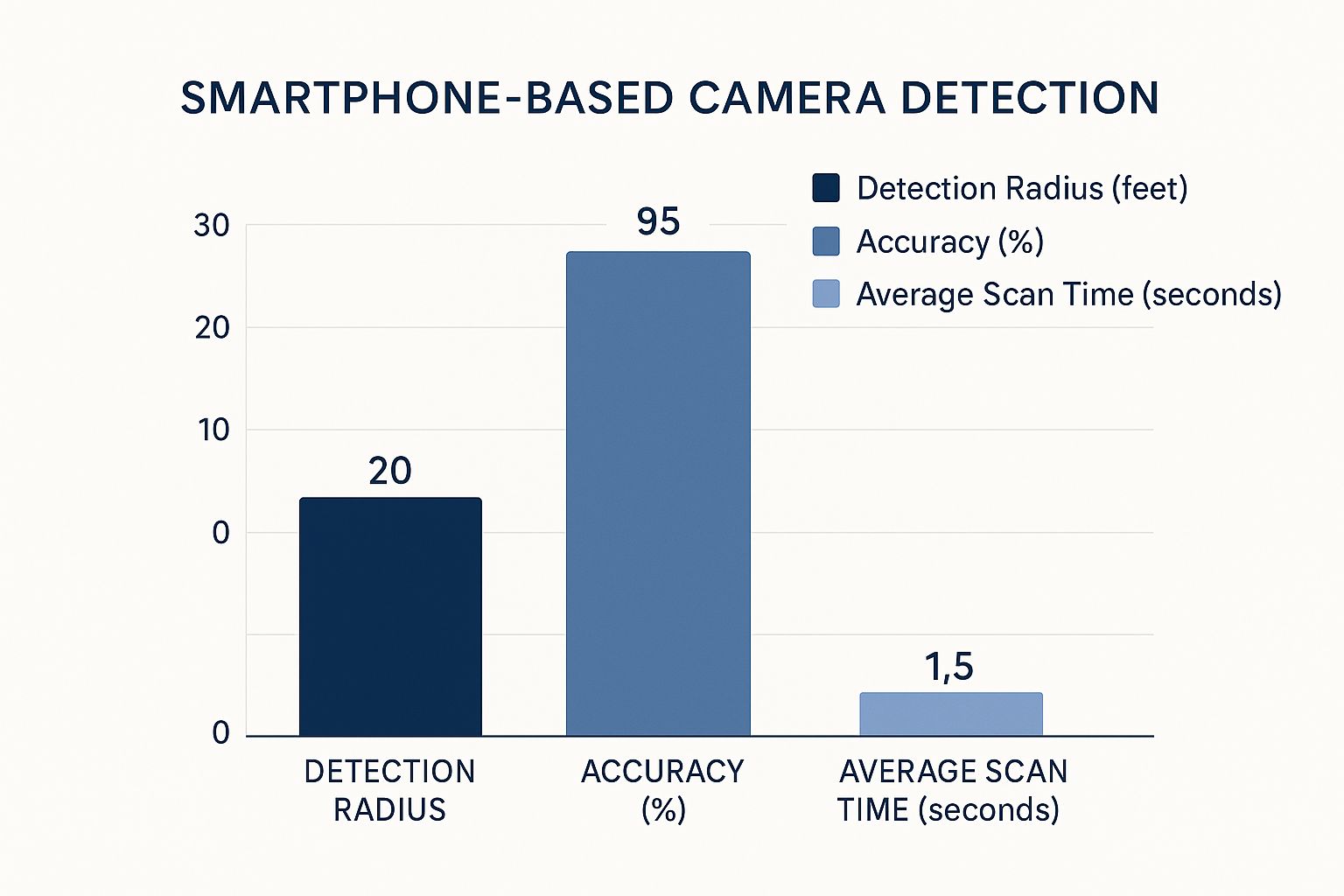
The data makes it clear: while using your phone is incredibly convenient, its detection range is quite limited, and you can’t always count on its accuracy.
Covert surveillance is more widespread in the UK than most people realise. Back in 2014, there were already an estimated 6.1 million spy cameras in use, partly for genuine security and partly because people are just more accepting of them. For example, in the retail world, where 47% of stock loss is down to staff, many businesses have turned to hidden cameras. The market was projected to grow another 13.7% in the two years that followed, which shows just how common this tech is becoming. You can dig into more of the UK spy camera statistics on the Spy Equipment UK website.
Thinking critically about the environment is the most important part. In a shop, a camera is probably there to protect stock. But in a private home or an Airbnb, the motive is usually far more personal and invasive. That means cameras will be hidden where you'd most expect privacy.
A Quick Reference for Your Search
To give your search some structure, it’s helpful to have a mental checklist of common hiding spots for different rooms. This table breaks down those high-risk areas, giving you a clear plan of attack for any space you need to check.
Common Hidden Camera Locations by Room
Room/Environment | Common Hiding Spots | What to Look For |
|---|---|---|
Living Room | Smoke Detectors, TVs, Bookshelves, Plants, Wall Clocks | A tiny black dot, an unusual wire, a lens glint, warmth |
Bedroom | Alarm Clocks, USB Chargers, Mirrors, Photo Frames | A pinhole opening, an extra wire, a small glowing LED |
Office/Study | Desk Lamps, Computer Monitors, Power Strips, Pens | An odd component, unusual weight, a small lens reflection |
Kitchen | Coffee Makers, Microwaves, Wall Sockets, Air Fresheners | A strange hole, a device that feels warm, an odd light |
Using a systematic approach like this means you're less likely to miss something obvious. Always start with the most likely hiding places based on what the room is used for, then broaden your search. The whole point is to be more thorough than the person who hid the device in the first place.
What to Do When You Find a Camera

Finding what looks like a hidden camera is a moment that can make your stomach drop. It’s a horrible, invasive feeling, but how you react in those first few moments really matters. Your immediate instinct might be to rip it out or cover it up, but please, resist that urge.
The most important thing to do is to leave the device exactly where it is. Don't touch it, move it, or try to disable it. Your priority is to preserve the scene as potential evidence. Messing with the camera could wipe crucial data, damage fingerprints, or even alert the person who planted it that you're onto them.
Document Everything Without Touching
Instead of touching the device, take out your own phone. From a distance, start taking clear photos and videos. Get close-ups of the device itself, showing its lens and any visible wires or components. Then, take wider shots of the room to establish its exact location and what it was pointed at.
This documentation is your proof. It's concrete evidence of what you found, where you found it, and how it was positioned, which will be vital if you decide to report it.
Your Safety Comes First
What you do next really depends on your location. If you’re in a hotel, an Airbnb, or another rental property, your personal safety is the top priority. It's best not to confront the owner or staff directly, as you simply don't know who is responsible.
The smartest move is to discreetly gather your things and leave the property as quickly and quietly as possible. Once you're somewhere safe, you can take action.
Contact the booking platform: If you booked through a service like Airbnb, use their app or website to report the camera immediately. They have specific procedures for handling these serious situations.
Notify hotel management: For a hotel, it's best to call the main reception or the corporate customer service line once you are safely outside the building.
Discovering a hidden camera is more than just an unsettling feeling; it's a profound violation of your privacy. Your calm, methodical response is key to ensuring your safety and holding the responsible party to account.
Disturbingly, this is not an uncommon occurrence. Some studies suggest that as many as one in ten people staying in shared accommodation have found a hidden camera. This trend is a serious breach of trust and privacy. For more on this, you can read the statistics compiled by Spy Tech Stop.
Reporting the Device and Knowing Your Rights
Once you're safe and have notified the property owner or booking site, your next call should be to the local police. Calmly explain what you've found and mention that you have photographic evidence. They will guide you on the next steps, which may involve sending an officer to investigate the scene.
Under UK law, it is illegal to place cameras in areas where people have a reasonable expectation of privacy—think bedrooms, bathrooms, or changing rooms—without their clear consent. Doing so is a criminal offence.
If you find a device in your own home or office, the situation can be even more complicated. The culprit could be a partner, a landlord, or in a business setting, even a competitor. For these sensitive cases, getting professional help is a wise move. An expert in technical surveillance countermeasures (TSCM) can perform a comprehensive sweep to find any other devices, advise on handling the evidence correctly, and help you prepare for any legal action.
Your Hidden Camera Questions, Answered
Even after a thorough sweep, you might still have some nagging questions. Maybe you've picked up some confusing signals, or perhaps you're just not sure if your tools are up to the job. It's completely normal. Let's tackle some of the most common queries I hear from people, giving you the clear answers you need to feel confident.
Getting your head around the nitty-gritty of how these devices operate is key. For example, a lot of people think all hidden cameras need Wi-Fi to work. That's a huge misconception, and knowing why can make your search a whole lot smarter.
Can a Camera Record Without Wi-Fi?
Yes, absolutely. This is one of the most critical things to understand. While we often think of cameras streaming live video over a network, many spy cameras are designed to be completely self-sufficient. They're built to work offline, which makes them incredibly difficult to find with a standard network scan.
These devices simply record everything onto an internal memory card, usually a tiny MicroSD. The person who planted it has to come back and physically collect the device to get the footage. Because they don't transmit any wireless signals, they're ghosts to RF detectors and Wi-Fi scanning apps. This is precisely why a meticulous, hands-on physical search should always be your foundation.
Key Takeaway: Never give a room the all-clear just because you can't find a suspicious Wi-Fi signal. A self-recording camera leaves no digital footprint until it's physically retrieved, making a manual inspection non-negotiable.
How Can I Tell a Real Camera from a False Alarm?
It’s easy to feel a bit overwhelmed when your RF detector starts beeping all over the place. Your home is practically humming with radio frequencies from your router, smart speakers, and a dozen other gadgets. The real skill is learning to separate the everyday electronic noise from a hidden surveillance device.
Think of it as a process of elimination. Before you even begin your sweep, go around and unplug every known wireless device. Your telly, your microwave, your router—everything. If your detector still lights up in a quiet room, you have a much stronger reason to be suspicious.
When you do get a hit, stop and think about the context:
Location: Is the signal strongest near a classic hiding spot, like a smoke detector, a clock radio, or a USB charger? Or is it coming from a random patch of blank wall?
Signal Behaviour: Is the signal steady and constant, like a Wi-Fi router, or does it seem to pulse on and off? Some spy cameras transmit in short bursts to conserve battery life.
Physical Inspection: Once your detector has led you to a specific area, it's time to get up close. Use a torch and look for the tell-tale signs—a tiny pinhole that doesn't belong, or the faint glint of a lens.
This methodical approach helps you cut through the noise and zero in on what really matters. It takes patience, but it's the most reliable way to confirm a threat.
Are Smartphone Detector Apps Really Reliable?
Let's be frank: those cheap or free smartphone apps are a mixed bag. They're certainly better than having no tools at all, and can be a decent first step, but you have to be acutely aware of their limitations. They generally work in two ways: by scanning for local Wi-Fi and Bluetooth signals, or by using your phone’s built-in magnetometer to hunt for electronic fields.
The network scanning part is helpful, but it will only ever find cameras that are actively connected to the Wi-Fi. It will be completely blind to any device that's recording offline to an SD card.
The magnetic field detection is even more hit-and-miss. While it might pick up the electronics inside a camera, it's just as likely to be triggered by speakers, metal studs, or wiring inside the walls. This leads to a huge number of false positives, which can create more confusion than clarity.
Ultimately, finding hidden cameras boils down to a fundamental understanding of how security and privacy are related, which means taking active steps to protect your personal space. An app can be one tool in your kit, but it should never be the only one. A dedicated RF detector paired with a thorough physical search will always be your most dependable bet.
If you've done a search and still feel that something isn’t right, or if you’ve found a device and need an expert to handle it, don't leave your safety to chance. Sentry Private Investigators Ltd offers professional Technical Surveillance Countermeasures (TSCM) bug sweeping services to provide definitive answers and complete peace of mind. Contact our experts for a confidential consultation at https://www.sentryprivateinvestigators.co.uk/bug-sweeps-uk.