
How to Detect Spyware on iPhone: A UK Guide 2026

Your iPhone is warm in your bag, the battery is nearly empty by lunchtime, and someone seems to know where you've been. It's understandable to wonder whether your phone is being monitored. But a convincing symptom isn't the same as evidence of spyware.
Knowing how to detect spyware on iPhone means checking the device, account access and sharing settings in the right order. Preserve what you find before changing anything, take genuine Apple threat notifications seriously, and get specialist help when your safety or potential evidence is at stake.
Warning Signs That Matter and Which Ones Mislead
Consider a typical false-alarm scenario. An iPhone owner notices sudden battery drain, warmth, a glowing camera or microphone indicator and unusually high data usage. A recent iOS update, a social app refreshing in the background and a forgotten work-trial configuration profile could explain that combination without anyone spying.
That's a possible explanation, not a diagnosis. The indicator shows access to a sensitive function, but you still need to establish which app was responsible and whether the access was expected.
When clients raise concerns with SPI, the starting questions concern third parties knowing their movements, conversations or written messages, batteries draining quickly, and unfamiliar apps appearing. Emails, texts and social media activity matter just as much as calls. However, these observations tell us what needs checking, not who caused it.
Compare the symptom with the setting
An unrecognised management profile, unexpected account access or unexplained sharing deserves closer attention than battery drain alone. The NCSC's iOS device-security guidance supports structured checks of software, apps, permissions and authentication rather than relying on performance symptoms.
Common iPhone warning signs, likely causes and first checks
Warning sign | Often means | First check |
|---|---|---|
Third parties seem to know your movements, calls or messages | Shared Apple Account access, location sharing or a monitoring app | Apple Account devices list, Location Services sharing and profiles |
Battery draining quickly | Background app activity or an update still settling; sometimes spyware | Settings > Battery, reviewing usage by app |
Unfamiliar app on the home screen | A legitimate app, or a disguised app using a familiar name | Settings > Privacy & Security permissions for that app |
Unrecognised VPN & Device Management profile | A forgotten work profile, or a malicious management profile | Settings > General > VPN & Device Management |
Unexpected Apple Account or sharing settings | Compromised account or family sharing left switched on | Apple Account sign-in notifications and sharing settings |
Overheating, glowing camera dot or high data use | Often a recent iOS update, a background social app or a forgotten profile | Check these together before concluding anything |
Pay attention to timing. An unfamiliar profile appearing around the same time as unexplained location knowledge warrants investigation, although it still doesn't establish surveillance.
If someone's behaviour makes you feel watched or threatened, technical certainty shouldn't determine whether you seek support. Understanding when to involve police about stalking can help you separate personal-safety decisions from troubleshooting.
Practical rule: One symptom alone isn't proof. Linked, unexplained signs justify a structured check, not an immediate accusation.
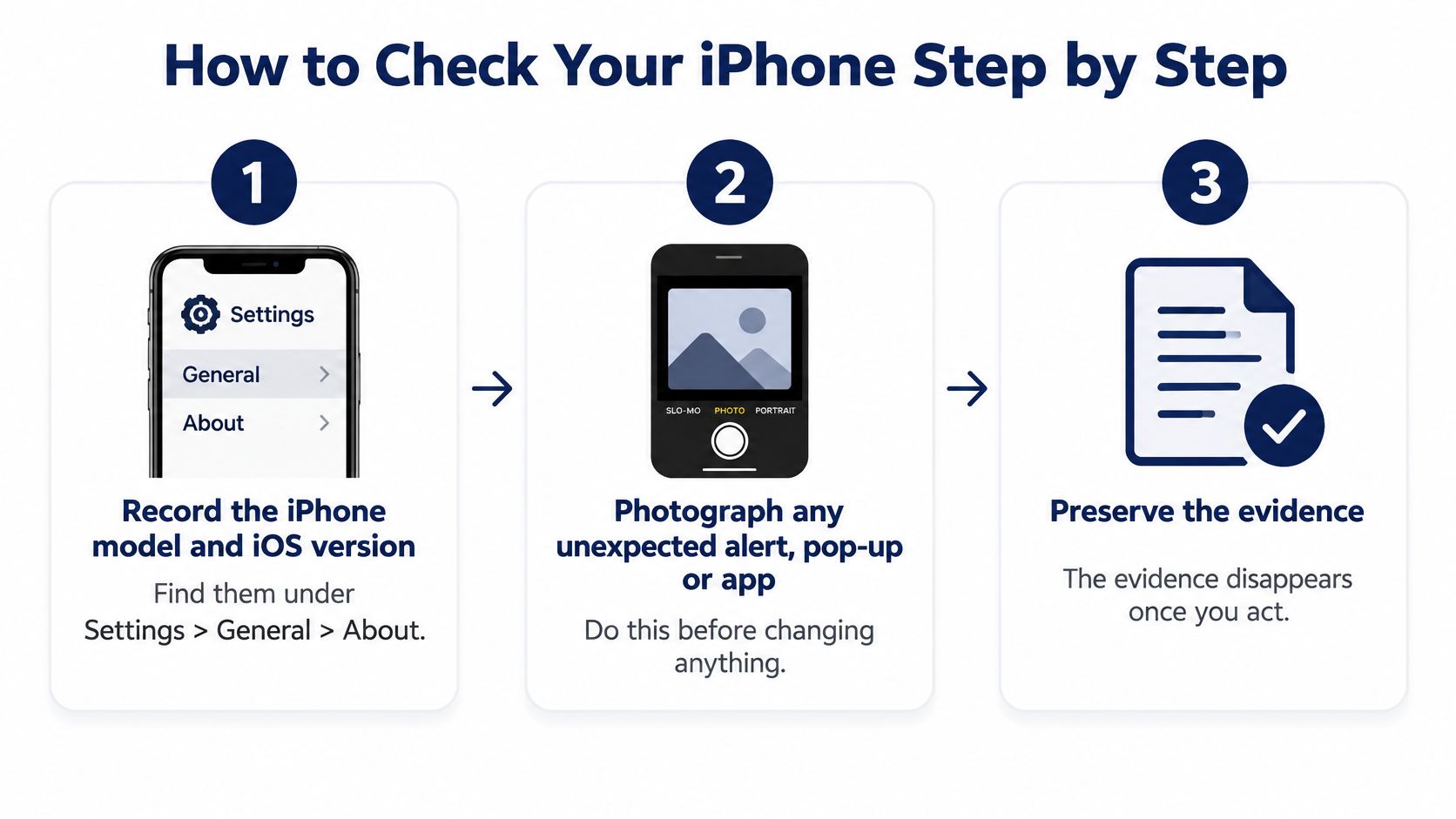
How to Check Your iPhone Step by Step
Record first, investigate second, remove last. If coercive control is possible, use a separate trusted device to seek advice before changing access or passwords, because those changes may be noticed.
The NCSC's guidance for high-risk individuals provides a useful foundation for reviewing account security, permissions and protection against targeted attacks. An app's name or icon alone can't establish whether it's legitimate.
Preserve the starting point
Record the handset details. Open Settings > General > About and note the iPhone model and iOS version. Photograph unexpected alerts, pop-ups and apps before dismissing or changing them, and record when you noticed battery or data anomalies.
Inspect management settings. Open Settings > General > VPN & Device Management and record any unknown profile or mobile-device-management enrolment. Don't remove it yet, particularly if a specialist may need to examine the phone.
Audit permissions. Under Settings > Privacy & Security, review Location Services, Microphone, Camera, Photos, Contacts, Bluetooth and Local Network. List unfamiliar apps and permissions that don't fit an app's purpose, rather than treating every permission as suspicious.
Keep a simple visual record before making changes.
Review account access before removing anything
Check your Apple Account. Review your name, email address, trusted phone numbers, recovery contacts, devices list and recent sign-in notifications, preferably from a separate trusted device. Note any Apple threat notification on the Lock Screen or in Settings, because that raises the urgency.
Review Safety Check. Open Settings > Privacy & Security > Safety Check and inspect the people and apps listed under sharing and access. Record unfamiliar entries and remove unwanted access when it's safe to do so, but pause for specialist advice if a change could alert an abusive person.
Secure your credentials. From a trusted device, change your Apple Account and email passwords, then enable two-factor authentication. Don't use the suspected handset to discuss your plans with someone who may be monitoring it.
Remove only clearly unauthorised items. Do this after recording the findings and deciding whether forensic evidence is needed. Deleting an app first can destroy useful artefacts without resolving compromised account access.
For business-owned handsets, the wider asset-management question also matters. IT Cloud Global's resource on how to reduce risks from lost work phones offers useful context for separating missing-device exposure from suspected spyware.
The verdict: an isolated battery problem often has an ordinary explanation. Unexplained permissions alongside an unknown profile or suspicious account alert justify professional escalation, rather than further guesswork.
What Apple Threat Notifications and Safety Check Mean
A genuine Apple threat notification warrants more attention than a warm handset or a browser pop-up claiming you have a virus. Apple says it began sending these warnings in 2021 and has notified users in more than 150 countries, including the UK. They concern activity consistent with mercenary-spyware attacks, such as Pegasus.
These are high-confidence warnings of possible individual targeting. They do not establish who was responsible or what information was accessed. Preserve the warning rather than treating it as a complete diagnosis.
A warning and a sharing review serve different purposes
Safety Check helps you review people and apps with sharing or access permissions. It cannot determine whether spyware was previously present. Removing unwanted sharing addresses that access, but leaves the question of earlier compromise unresolved.
Account-protection tools, such as those discussed in how Aura protects your digital life, serve a separate purpose from examining an iPhone for spyware.
An Apple threat notification is a reason to preserve evidence and escalate, not to identify an attacker yourself.
Photograph the warning and retain the handset details before making changes or considering a reset. Stop using the handset for sensitive tasks and seek specialist advice.
Interpret the findings together. A clear Safety Check and no notification are reassuring, but neither rules out compromise where credible concerns remain. Symptoms raise the question; the ordered checks, alerts and preserved evidence support the assessment.
Telling Stalkerware, Rogue Profiles and Account Takeover Apart
Similar experiences can come from very different sources. Someone knowing a private message doesn't, by itself, establish that spyware is installed on the iPhone.
These visible signs are starting points for investigation, not a diagnosis.
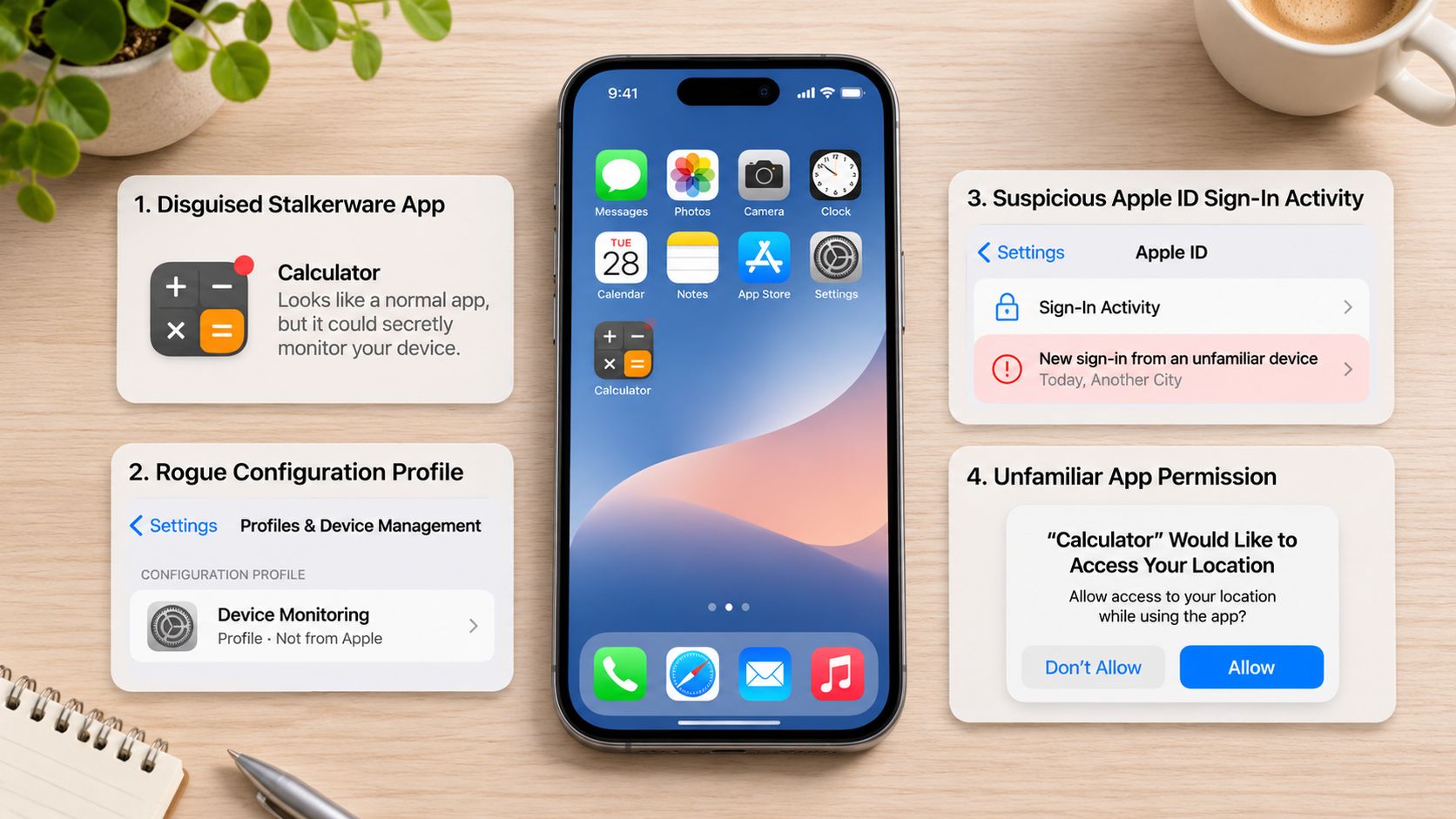
Separate device access from account access
Stalkerware or misuse following physical access. Someone who knows your passcode may have changed sharing settings or arranged monitoring. An unfamiliar app is worth recording, but don't assume that ordinary apps have unrestricted access to everything on an iPhone.
Apple Account or email takeover. The handset itself may be uncompromised while someone accesses information through an online account. Unexpected sign-in alerts or devices point towards securing those accounts, not deleting apps.
Rogue or forgotten management profiles. A profile may belong to a legitimate employer, an old trial or an unauthorised administrator. Its permissions and origin matter more than its presence alone, so preserve the details before deciding what it means.
Commercial spyware. The NCSC's assessment of commercial cyber proliferation describes capabilities including reading messages, listening to calls, accessing photos and remotely operating cameras or microphones. Highly capable attacks can leave few visible signs, making specialist examination appropriate where the threat is credible.
This video provides another way to consider the issue alongside the technical checks.
Match the response to the evidence
Physical access plus an unknown profile warrants investigation of local changes. Account alerts point towards account recovery, while unexplained surveillance affecting someone in a high-risk role warrants forensic advice.
Be cautious with fake update prompts and unexpected permission requests. FCDO Services' counter-eavesdropping guidance highlights how deceptive updates can persuade users to grant sensitive access.
If you're considering a replacement handset, the guide to iPhone safety with Used Mobiles 4 U provides context, but replacing hardware won't resolve an exposed account. If the concern centres on journeys rather than messages, you may also need to check your car for hidden trackers.
Preserving Evidence, Recovering Safely and Preventing Reinfection
Which first action to take for each situation
Situation | First action | Why it matters |
|---|---|---|
Suspected stalking, abuse or coercive control | Keep evidence and speak to police or a support service before making changes | Deleting apps or changing passwords can alert the other person or erase evidence |
Possible employment, civil or criminal matter | Preserve the device and logs, then get forensic advice before any reset | A reset can remove artefacts needed later |
Strong suspicion with no legal angle | Secure the Apple Account from a trusted device, then reset if the problem remains | The NCSC identifies a factory reset as the safest general remedy |
Security app reports the phone is clean | Don't rely on it alone; check profiles, permissions and account access | Antivirus works differently on phones than on computers |
Keep timestamped screenshots, suspicious messages, login alerts and the Apple Account device list somewhere safe. Secure email, banking and messaging accounts from a trusted device, and contact your network if you suspect SIM-swap or mobile-account takeover.
Recover after evidence needs are settled
The NCSC's infected-device guidance identifies a factory reset as the safest general remediation and explains that phone antivirus doesn't work like PC antivirus.
Back up essential personal data, rather than automatically preserving everything.
Factory reset once safety and evidence considerations are resolved.
Assess any full backup before restoring it.
Update iOS through Settings and never jailbreak.
Reinstall apps manually from the App Store.
Renew account protection with changed passwords, verified device sessions, two-factor authentication and a strong passcode.
Review sensitive permissions monthly, watch sign-in alerts and be cautious with links, shared files and unexpected update prompts. Reserve Lockdown Mode for credible targeted attacks; it restricts features rather than scanning for past compromise.
A reset is a recovery measure, not a detection test. Persistent concern needs specialist examination, not repeated wiping.
Book a Forensic Phone Scan Before You Reset
If you feel your privacy, safety or security is compromised, arrange professional assessment without delay. An Apple threat notification, unexplained management profile or suspicious account alert makes that decision more urgent, but you don't need to diagnose the attack yourself before enquiring.
At Sentry Private Investigators Ltd, we offer forensic mobile-phone scanning for iPhones and Android handsets to assess technical indicators before resetting or updating changes the device. This can be incorporated into an on-site physical TSCM inspection through our UK bug sweeping services, covering homes, offices and vehicles for hidden listening devices, covert cameras, GPS trackers and other technical surveillance threats. Our investigative toolkit includes advanced forensic software for analysing digital footprints, alongside hidden camera setups and GPS tracking devices used for appropriate investigative work.
A focused consultation helps establish whether the concern relates to the handset, accounts, physical surroundings or a combination.
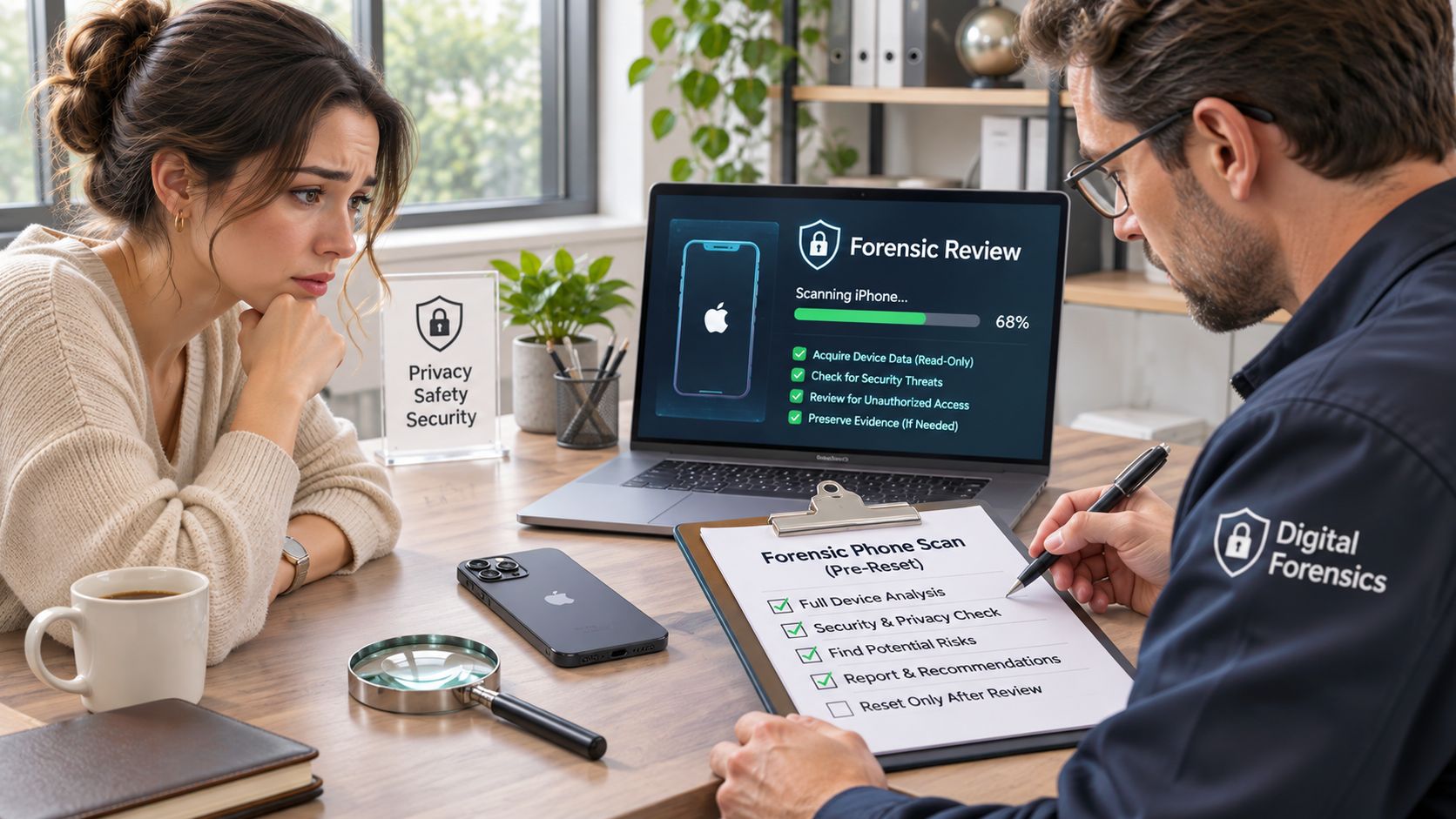
Get the scope right before changing the phone
A useful assessment starts with the facts: what someone appears to know, when the problem started, who had access to the handset and which settings have changed. We handle enquiries discreetly and safeguard clients' privacy throughout the investigative process.
A forensic assessment isn't a promise that every possible attack can be detected. Its value is in examining available technical evidence, distinguishing findings from assumptions and helping you make a proportionate decision. That's particularly important when a phone concern overlaps with a relationship dispute, workplace investigation or possible legal proceedings.
The UK Government's app-security and privacy publication describes spyware risks to passwords, banking information, authentication tokens and private communications, and advises calling 999 in an immediate emergency. You don't need to gather evidence before reporting suspected stalking or abuse to police.
Prepare a safe enquiry
Use a trusted phone or computer to contact us if you're concerned that the handset is monitored. Gather your notes, screenshots and relevant dates, but don't send sensitive material from the suspected device or reset it to prepare for an appointment.
Call 0121 769 1626, mobile 07730 695 853, or email info@sentryprivateinvestigators.co.uk. Explain whether you need technical reassurance, evidence-preservation advice or help with a wider private investigation so we can discuss an appropriate approach.
Sentry Private Investigators Ltd offers confidential forensic scanning for iPhones and Android phones, with on-site TSCM bug sweeps where wider surveillance is suspected. Visit Sentry Private Investigators Ltd to discuss your concerns and arrange an assessment before resetting your handset.
